The Ultimate Setup Guide for Your Wireless Gaming Headsets
Introduction
Wireless gaming headsets have become an essential accessory for modern players seeking the freedom to move, clear in-game communication, and immersive audio without the clutter of cables. Whether competing in fast-paced esports matches, streaming with a content creation setup, or relaxing with story-driven single-player titles, a properly configured wireless headset can significantly improve the gaming experience. This guide provides a practical, detailed walkthrough for selecting, setting up, and optimizing wireless gaming headsets, focusing on the real-world concerns buyers typically have: latency, battery life, comfort, compatibility, microphone performance, and sound quality.
Understanding Wireless Headset Technologies
Before diving into setup tips, it helps to understand the primary wireless technologies used in gaming headsets and their trade-offs:
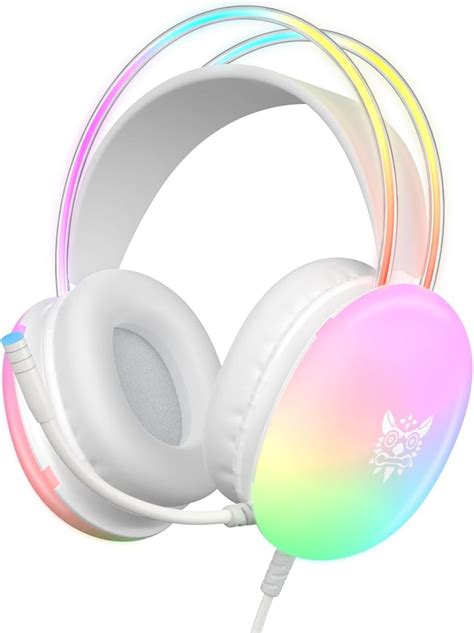
- 2.4 GHz RF with a USB dongle: Offers low latency and stable connections, commonly used for desktop and console play. Ideal when minimizing delay is a priority.
- Bluetooth: Great for cross-device convenience (phones, tablets, laptops) but often introduces higher latency unless using specialized codecs or low-latency Bluetooth implementations.
- Proprietary wireless (multi-band): Some headsets use custom protocols to extend range and reduce interference; these can combine low latency with long battery life.
- Dual-mode headsets: Support both dongle-based RF and Bluetooth for versatility—use the dongle for gaming, Bluetooth for phone calls or mobile use.
Detailed Product Analysis: What Matters Most
Rather than focusing on specific brand models, this section analyzes the features and performance areas buyers should scrutinize when choosing a wireless gaming headset. Each dimension ties back to everyday use cases.
Latency and Competitive Play
Latency — the delay between a sound occurring in-game and when the player hears it — is most critical for competitive players. Even small delays can disrupt hit registration awareness, footsteps detection, or directional audio cues. For competitive play, 2.4 GHz RF headsets with a dedicated USB dongle are generally the best choice due to consistent sub-20 ms latency. Bluetooth headsets can be acceptable for casual play or single-player experiences, but they can struggle when precise audio timing matters.
Battery Life and Charging Strategy
Battery life determines how often one needs to charge. Typical ranges:
- Budget models: 10–15 hours
- Mid-range models: 20–30 hours
- High-end models: 30–60+ hours
For streamers or long sessions, look for fast-charging support (e.g., a quick 15–30 minute charge for several hours of use) or pass-through operation that allows simultaneous charging and use. Buyers who prioritize uninterrupted play should also consider wired fallback options for when batteries run out.
Comfort and Long Sessions
Comfort often outweighs raw spec numbers in real-world use. Important factors include clamping force, headband padding, earcup material (memory foam vs. standard foam), weight distribution, and breathability. People who play multiple-hour sessions need headsets with soft, breathable earcups and balanced weight to avoid neck strain. Replaceable ear pads and adjustable headbands extend lifespan and comfort customization.
Microphone Quality and Communication
Clear communication is crucial for team games and streaming. Buyers should prioritize:
- Directional noise rejection (unidirectional boom mics)
- Mute toggles with physical switches
- Software-based noise suppression options (real-time gating, AI noise removal)
- Detachable or retractable mics if handheld microphones are preferred
Real-world testing—listening to recorded samples or checking community feedback—helps differentiate truly clear mics from those that sound tinny or capture background noise.
Sound Profile and Immersion
Sound signature preferences differ by play style. FPS players favor tight, accurate mids and highs for footsteps and weapons, while RPG and single-player fans may prefer wider soundstage and pronounced lows for cinematic impact. Virtual surround technologies (virtual 7.1, spatial audio) can enhance localization on stereo drivers, but their implementation quality varies. EQ customization via headset software allows users to tune sound to preference and game genre.
Discover deals on Audio & Headphones — updated daily.
See Deals →Compatibility and Multi-Platform Use
Compatibility is a common pain point. Check whether the headset supports PC, PlayStation, Xbox, and Nintendo Switch natively. Many dongle-based headsets are plug-and-play on PC and PlayStation but require special handling for Xbox (some models use Xbox Wireless or require wired connection). For laptop and mobile users, Bluetooth connectivity or USB-C support is valuable. Buyers who need cross-platform convenience should favor dual-mode headsets with both dongle and Bluetooth options.
Durability and Build Quality
Materials matter. Metal headbands and reinforced swivels increase longevity, while all-plastic builds can be lighter but less durable. Buyers who travel frequently should consider foldable designs with protective cases. Replaceable parts (ear pads, cables) are a sign of thoughtful engineering and improve total cost of ownership.
Pros & Cons
General Advantages of Wireless Gaming Headsets
- Freedom of movement and less cable clutter
- Convenient switching between devices (with dual-mode headsets)
- Integrated microphones and software features tailored for gaming
- Portable for couch gaming or moving across rooms
Common Drawbacks to Watch For
- Potential latency concerns in high-level competitive play (especially with Bluetooth)
- Battery management constraints — must charge periodically
- Initial setup and driver/software installation can be more complex than wired headsets
- Higher price points for premium wireless performance
Comparison Table: Typical Headset Tiers
| Category | Typical Wireless Tech | Battery Life | Latency | Comfort | Best For |
|---|---|---|---|---|---|
| Budget | Bluetooth or basic 2.4 GHz | 10–15 hours | High (Bluetooth) / Medium (2.4 GHz) | Lightweight, mixed padding | Casual gamers, mobile use |
| Mid-range | 2.4 GHz dongle + Bluetooth (sometimes) | 20–35 hours | Low (2.4 GHz) | Good padding, adjustable fit | Streamers, console & PC gamers |
| High-end | Proprietary low-latency RF, multi-band | 30–60+ hours | Very low | Premium materials, replaceable parts | Competitive players, audio enthusiasts |
Step-by-Step Setup and Optimization
Follow these steps to get the most from a wireless gaming headset, regardless of tier.
1. Unbox and Inspect
Confirm the package contains the headset, any dongles, charging cables, detachable mic, and documentation. Check earcups and headband for defects and ensure the mic clicks into place securely if detachable.
2. Charge Before First Use
Charge the headset fully before its first extended session. Lithium-ion batteries reach optimal calibration after a couple of full cycles. If the headset supports fast-charging, note the quick-charge durations for emergencies.
3. Choose the Right Connection Mode
For PC or consoles where low latency matters, plug in the USB dongle and set the system audio to use the headset as the default device. For mobile devices or casual listening, pair via Bluetooth. If using multiple devices, label dongles or remember which device is paired to which mode to avoid confusion.
4. Configure System and In-Game Audio Settings
On Windows or consoles, ensure the headset is selected as both the input and output device. Disable exclusive mode (Windows) only if required by audio routing tools. In-game, reduce audio processing that can introduce latency and select stereo output if the game’s surround virtualization performs poorly. Enable low-latency or game mode if the headset or system provides it.
5. Calibrate EQ and Spatial Audio
Use the headset software to apply EQ presets (FPS, Racing, Music) and fine-tune frequencies. For directional audio, test with games known for positional cues (e.g., tactical shooters) and adjust the spatial audio level until directionality is clear without compromising tone.
6. Optimize Microphone Settings
Adjust mic gain so teammates hear clearly without clipping. Enable noise suppression and automatic gain control in software if available. Test the microphone in voice chat and record a sample to check for background noise or sibilance.
Discover deals on Audio & Headphones — updated daily.
See Deals →7. Practice Battery and Charging Habits
Avoid leaving the headset completely discharged for extended periods. If long play sessions are frequent, keep a charging cable nearby and consider wired fallback. For travel, carry a short USB cable compatible with the headset’s charging port.
8. Maintain Physical Care
Clean earcups and microphone foam periodically with a soft cloth and mild cleaner. Replace ear pads that become worn or uncomfortable. Store the headset in a cool, dry place and avoid exposure to direct sunlight or extreme temperatures.
Buying Guide: How to Choose the Right Wireless Gaming Headset
When shopping, buyers face many choices. This checklist reflects practical priorities and trade-offs for different user types.
Buyer Needs and Priorities
- Competitive players: Prioritize the lowest latency available (2.4 GHz dongle or wired fallback), clear mids/highs for footsteps, lightweight design, and a durable build.
- Content creators/streamers: Seek a high-quality microphone, multi-device connectivity, robust software for EQ and sidetone, and reliable battery life for long streams.
- Console gamers: Verify compatibility with PlayStation, Xbox, or Switch and whether the headset uses a dongle or requires wired operation on certain consoles.
- Couch and casual gamers: Comfort, battery life, and Bluetooth convenience are often the key factors; absolute lowest latency is less critical.
- Travelers and mobile users: Look for compact designs, foldable headbands, long battery life, and Bluetooth multipoint to connect to phone and laptop simultaneously.
Essential Questions to Ask Before Buying
- Does the headset include a low-latency USB dongle for gaming systems that require it?
- Is wired mode available when the battery runs out?
- Is the microphone detachable or flexible, and how good are real-world samples?
- What is the claimed battery life, and does it align with independent tests?
- How comfortable is the headset during multi-hour sessions, and are replacement pads available?
- What software features are included (EQ, surround virtualization, mic processing)?
- Is the warranty and customer support reputation acceptable?
Red Flags to Avoid
- Vague latency claims without a specified wireless protocol or codec
- No wired fallback or battery that is sealed and non-serviceable
- Poor microphone clarity in recorded samples
- Unreliable or buggy companion software with frequent disconnects
Real-World Use Cases
Applying the above guidance to practical scenarios helps illustrate which headset traits matter most:
Esports Team Practice
Players need minimal latency and consistent positional audio. A dongle-based 2.4 GHz headset with a neutral, analytical sound profile and a durable build is ideal. In team practice environments, reliable mic noise suppression and a physical mute toggle reduce interruptions.
Streamer on a Tight Schedule
Streamers require a clear microphone and convenient switching between PC and mobile. A dual-mode headset with strong mic software and a stable dongle connection for streaming is beneficial. Fast charging and wired fallback ensure streams aren’t interrupted.
Family Living Room Console Sessions
Comfort, battery life, and ease of pairing are the priority. Bluetooth pairing for phone calls between sessions and a soft, breathable set of earcups make marathon couch sessions more enjoyable.
Conclusion
Wireless gaming headsets offer compelling benefits for a range of players, from competitive gamers who demand low latency to casual players who prefer comfort and convenience. The right headset depends on use case: prioritize a low-latency RF dongle for competitive play, strong microphone performance and software for streaming, and comfort and battery life for long sessions. Proper setup—charging fully, selecting the right connection mode, tuning EQ, and configuring mic settings—will unlock the best performance from any wireless headset. With informed choices and thoughtful setup, wireless headsets can deliver both freedom and high-quality audio for modern gaming.